
 Leavely
Holidays
How Owners and Admins add Holiday Locations, import their public holidays for each year, and remove them.
Add the public holidays of the countries and regions where your people work, so that Leavely does not count them as Leave Days.
Where to find it
In Leavely, go to Settings > Holidays. The table shows one row for each Holiday Location:
- Location: the country, and the region if there is one.
- Assigned employees: how many employees use the Holiday Location, of all employees.
- Years: each imported year, with its number of holidays.
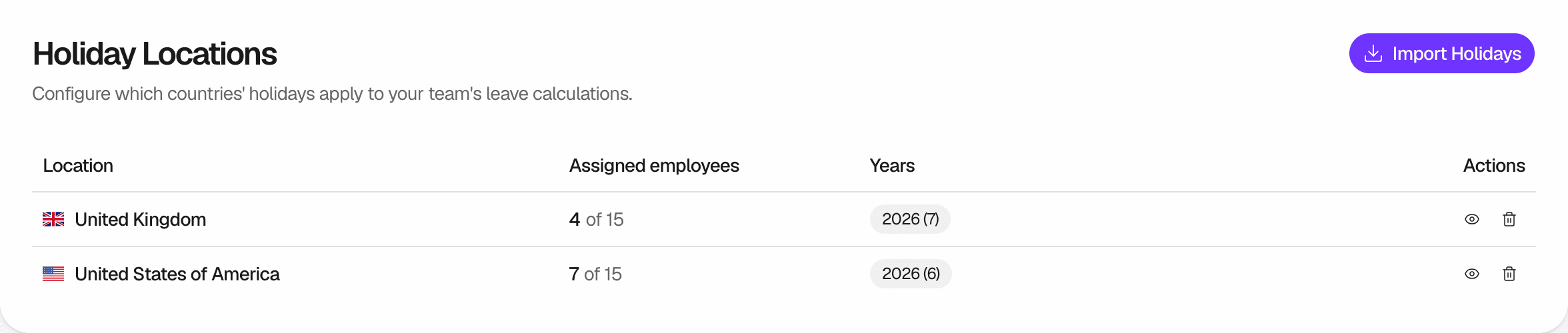
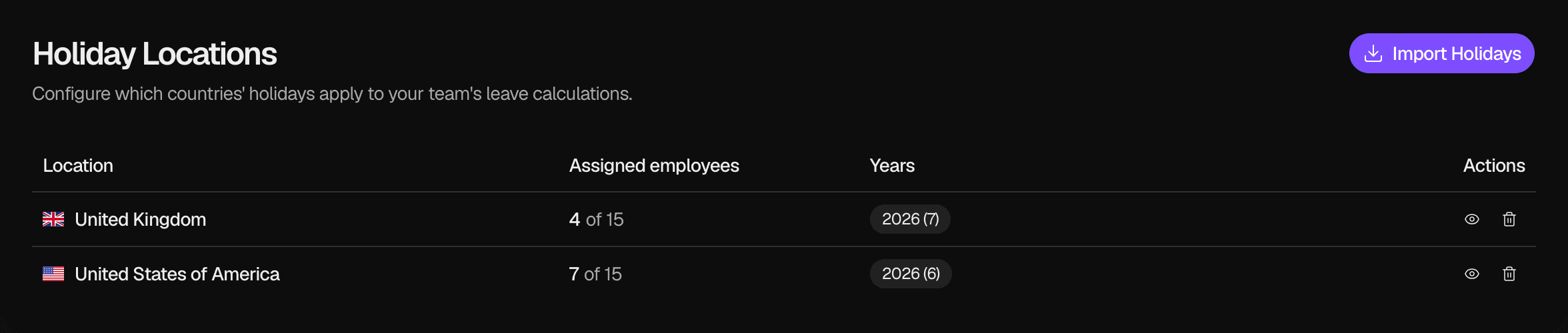
Holiday Locations
A Holiday Location is a country, or a region of a country, whose public holidays apply to the employees assigned to it. Each employee has one Holiday Location or none. To set it, go to Settings > Employees, open the employee, and select a Holiday Location in Employment. See Employment details.
The public holidays of a Holiday Location are not counted as Leave Days in the Leave Requests of its employees. They also show on the Wall Chart, in My Year and in Upcoming Holidays on Summary. An employee without a Holiday Location has no public holidays in Leavely.
Leavely has a list of public holidays for about 200 countries. For some countries, such as the United States, Germany and Australia, you can also select a region. A region's holidays include the national public holidays of its country. A country and one of its regions are two different Holiday Locations.
Import public holidays
To add a Holiday Location, import its holidays for a year. Leavely creates the Holiday Location with the first import.
Select Import Holidays
In the page header, select Import Holidays.
Choose the year and the place
Select a Year and a Country. If the country has regions, you can select a Region. To import the holidays of the whole country, leave Region empty.
Import
Select Import Holidays. Leavely shows how many holidays it imported, and the year appears in the row of the Holiday Location.
An import does not assign the Holiday Location to anyone. Select it for each employee in Employees, when you add them or later. The Owner starts with no Holiday Location, and accepting an invitation does not set one.
To add the year after the latest imported year, select the view button in the row of the Holiday Location, then select Add and the year, such as Add 2027. To add any other year, use Import Holidays.
Replace the holidays of a year
If the list of public holidays for a year has changed, import the year again.
Select the same year and place
Select Import Holidays, then the Year, the Country and the Region of an imported year. Leavely shows "Already imported" with the number of holidays.
Refresh
Select Refresh Holidays. Leavely deletes the holidays of that year for the Holiday Location and imports them again.
See or delete the holidays of a year
Select the view button in the row of a Holiday Location. The dialog shows the holidays of each imported year, with their dates and names.
To delete a year, select its tab, then select Delete and the year, such as Delete 2026. Confirm with Delete.
If the year is the last imported year of the Holiday Location, Leavely also deletes the Holiday Location. Its employees then have no Holiday Location. If employees use it, the confirm button is Delete & Unassign.
Delete a Holiday Location
In the row of the Holiday Location, select the delete button, then select Delete Location. Leavely deletes all its imported years. Its employees then have no Holiday Location. You cannot undo this.
Rules and limits
- Leavely imports only public holidays. It does not import bank holidays, observances or other types of holiday from the list.
- You can import a year from three years before the current year to three years after it.
- You cannot add or edit a holiday yourself. Leavely imports the whole list for the year.
- Holiday names are in the language of the country, such as German names for Germany.
- Leavely does not import a new year automatically. Import each year before people request leave in it.
- Leavely imports holidays for calendar years, January to December. If your Leave Calendar starts in another month, import both years that it covers.
How it affects Leave Days
A public holiday of the employee's Holiday Location on a working day is not counted as a Leave Day. A holiday on a day that is not a working day for your company changes nothing.
In this example, the company works Monday to Friday, and the employee's Holiday Location has a public holiday on Monday, August 31, 2026. All the dates are in one Leave Calendar.
| Leave Request | Leave Days counted |
|---|---|
| Thursday, August 27, to Wednesday, September 2 | 4 |
| The same dates, with Start From set to Afternoon | 3.5 |
| The same dates, for an employee with no Holiday Location | 5 |
In the first request, Leavely counts Thursday, Friday, Tuesday and Wednesday. It does not count Saturday and Sunday, because they are not working days, or Monday, because it is a public holiday. A half day needs a company that allows half-day leave. To learn more about how Leavely counts days, see Request leave. Leavely rejects a request that has no working day left after the holidays. See Leavely rejects the request.
FAQ
No. Leavely counts the Leave Days of a request when the request is sent, and it keeps that number. This is true for pending and approved requests. The change applies to new Leave Requests.
Leavely removes the Holiday Location from its employees. They have no Holiday Location until you assign a new one in Employees. Their new Leave Requests count public holidays as Leave Days. Their existing Leave Requests keep their number of days.
No public holidays apply to them. Leavely counts every working day in their Leave Requests. No holidays show for them in My Year, on the Wall Chart or on Summary.
No. Imported holidays are not counted as Leave Days, and nobody requests them. Public Holidays is one of the default Leave Types. It works like any other Leave Type: a request with it is a Leave Request. See Leave Types.
The Holiday Location has no public holidays in that year. Leavely counts every working day in that year as a Leave Day.
The list has no public holidays for that country or region in that year. Select another year or place.
Last reviewed on